
Approval Template
An approval template defines who reviews an expense, the review order, and the conditions that make the template apply.
This menu is only available to users with permission to manage approval templates.
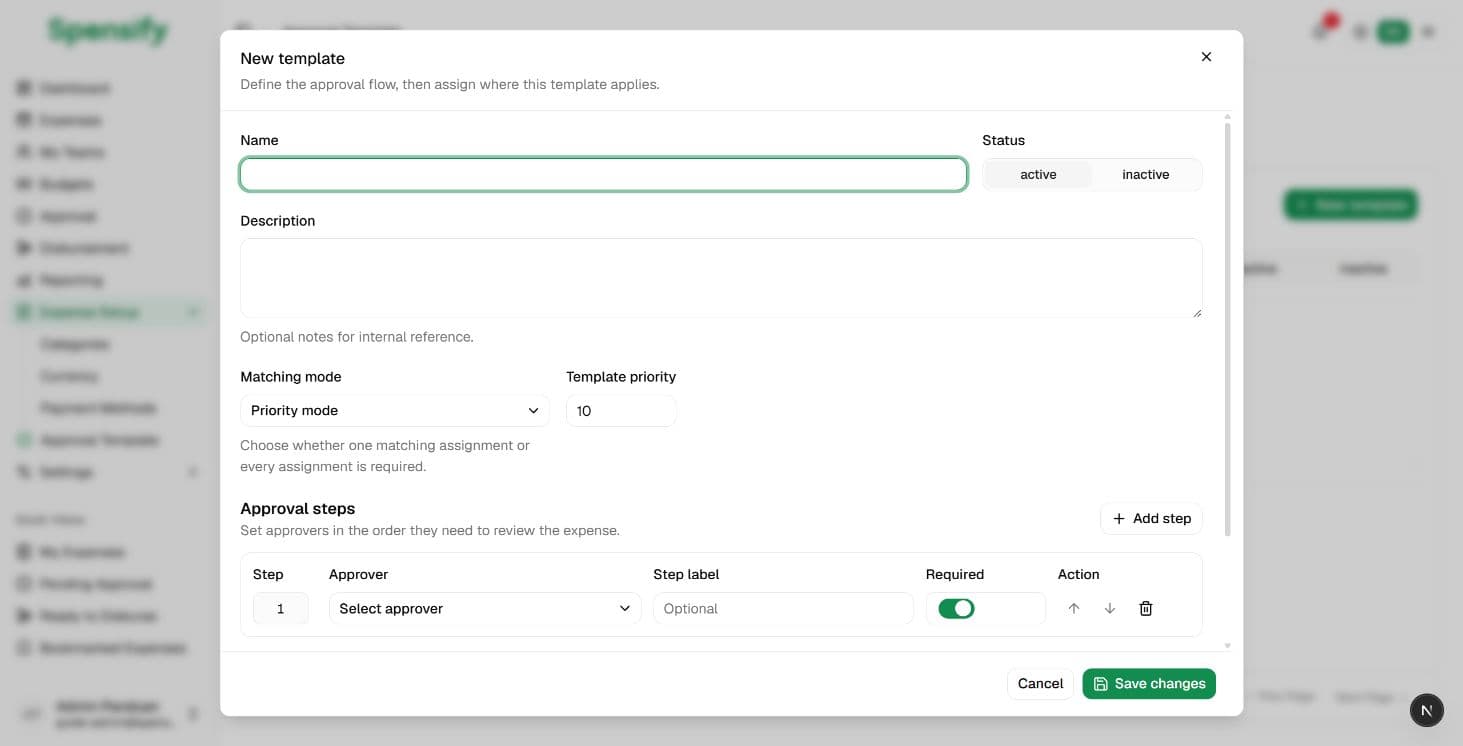
Create a template
- Open Expense Setup > Approval Template.
- Select New Template.
- Enter a name and description.
- Set the template status.
- Select a matching mode.
- Set the template priority.
Select a matching mode
- Priority mode uses the matching assignment with the highest priority. Each assignment can have its own minimum amount.
- All match requires every assignment in the template to match. The minimum amount applies to the whole template.
If more than one template matches, the template priority helps determine which one is used.
Build approval steps
- In Approval Steps, select the approver for the first step.
- Add a step label if needed.
- Choose whether the step is required.
- Select Add Step to add the next approver.
- Use the up and down controls to arrange the order.
- Remove any step that is not needed.
At least one step and one approver are required.
Add assignments
A template is not used until it has an assignment.
- Select Add Assignment.
- Choose a target:
- the entire company;
- a team;
- a category;
- a payment method.
- Select the target value unless the entire company is selected.
- In priority mode, set the assignment priority and an optional minimum amount.
- Make sure the assignment is active.
- Add other assignments if needed.
Save and test a template
- Check the approver order.
- Check whether the assignments are too broad or too narrow.
- Select Save Changes.
- Create a test expense that meets the assignment conditions.
- Post the expense and review its approval progress.
Update or archive a template
Use Edit to update a template. Use Archive when it should no longer apply to new expenses.
Before making a major change, review expenses already in progress. Template changes should not be used to alter completed approval decisions.
When no template matches
The result depends on company policy. An expense may be identified as not requiring approval or may be held from later processing. Make sure assignments cover all required business conditions.
Next
Continue to Expenses.